


Prophet AI MCP Server and Agentic Dashboards: Your Investigation Data, in Plain Language

Security teams increasingly use Claude and other AI assistants in their daily work, and some have started connecting those assistants to their SIEM through MCP to build investigation workflows of their own. In that setup the assistant mostly reads raw logs and alerts, so most of the investigation still happens inside the pipeline the team builds and maintains.
The Prophet AI MCP server gives your assistant a different starting point. It connects Claude Desktop, or another MCP client, to your Prophet AI instance, where alerts have already been through a full investigation with the queries, evidence and determination documented. Your team can ask questions of that investigation history in plain language and build on the answers.
{{ebook-cta}}
What the Prophet AI MCP server does
MCP (Model Context Protocol) is an open standard for connecting AI assistants to external systems. The Prophet AI MCP server makes your Prophet AI instance one of those systems.
You ask your assistant a question, such as "Which detections produced the most false positives last week?" The assistant writes a short program to answer it, Prophet AI runs that program against your instance with your permissions, and the result comes back in one request. You don't need to learn the Prophet AI API, write a query or export a CSV.
The assistant can do everything that the Prophet AI API supports (provided it is granted the required access). The main uses fall into four groups:
Reporting and analytics: metrics, KPIs and trend reports built on demand from your investigation data.
Bulk triage: acting on many investigations at once, such as tagging everything from a noisy rule and adding an analyst note. This needs read-and-write access.
Reviewing determinations: finding patterns across investigations, or reviewing the evidence behind a particular determination.
Working across tools: an assistant connected to several MCP servers can carry Prophet AI findings into ticketing, documentation and chat in the same conversation. If your Attack Surface Management (ASM) tool is also connected, for example, you can ask the assistant to run “what-if” scenarios on previously investigated cases against new exposures found in your environment.
Who controls what the agent can do
An AI agent with access to SOC data needs the controls you would apply to any other privileged user. The server provides three:
Per-user permissions. Each person signs in with OAuth, so every action runs with that user's own rights, and each user chooses read-only or read-and-write when connecting. Unattended automation uses a separate API or service-account token.
A record of what the agent did. Settings > MCP > Executions shows every program an agent ran, each Prophet AI API call it made and the result, kept for 14 days. Every change also appears in the Audit Log under the user who made it.
Admin limits. Admins can turn MCP off for the organization, set timeouts and per-run limits on API calls, and disconnect a connected agent.
How to connect Claude Desktop to Prophet AI
Connecting Claude Desktop takes no code.
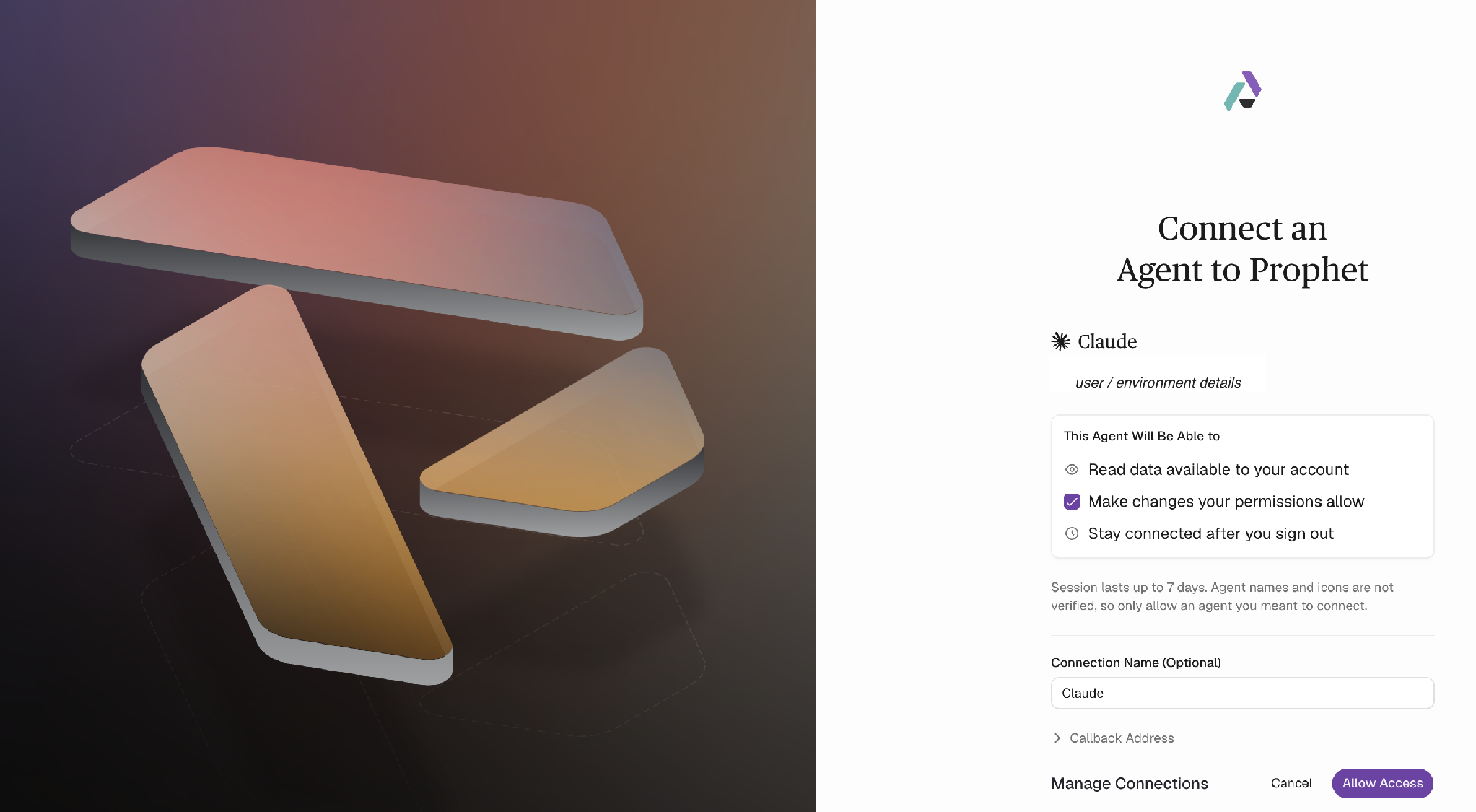
In Prophet AI, go to Settings > MCP > Setup and copy your server URL.
In Claude Desktop, add a custom connector with that URL. On Claude Team and Enterprise plans, an Owner adds the connector for the organization first, and members then connect with their own accounts.
Sign in to Prophet AI when prompted, and choose read-only or read-and-write access.
Open a new conversation and ask Claude about your Prophet AI data.
The full process is described in the in-product documentation.
Use case 1: SOC metrics on demand
Requests for SOC numbers come from many directions, from a manager preparing a weekly review to an executive asking about last month. With Claude Desktop connected, the person who needs the numbers can ask for them directly:
"Build a weekly SOC KPI report from last week's resolved investigations. Show volume by alert source, the split between malicious, benign and inconclusive determinations, and mean time to investigate."
Claude writes the program, Prophet AI runs it, and Claude formats the result. Follow-up questions can be used to further adjust it:
"Break the benign determinations down by detection rule and show the top ten."
"Compare this month with last month. Which alert sources are trending up?"
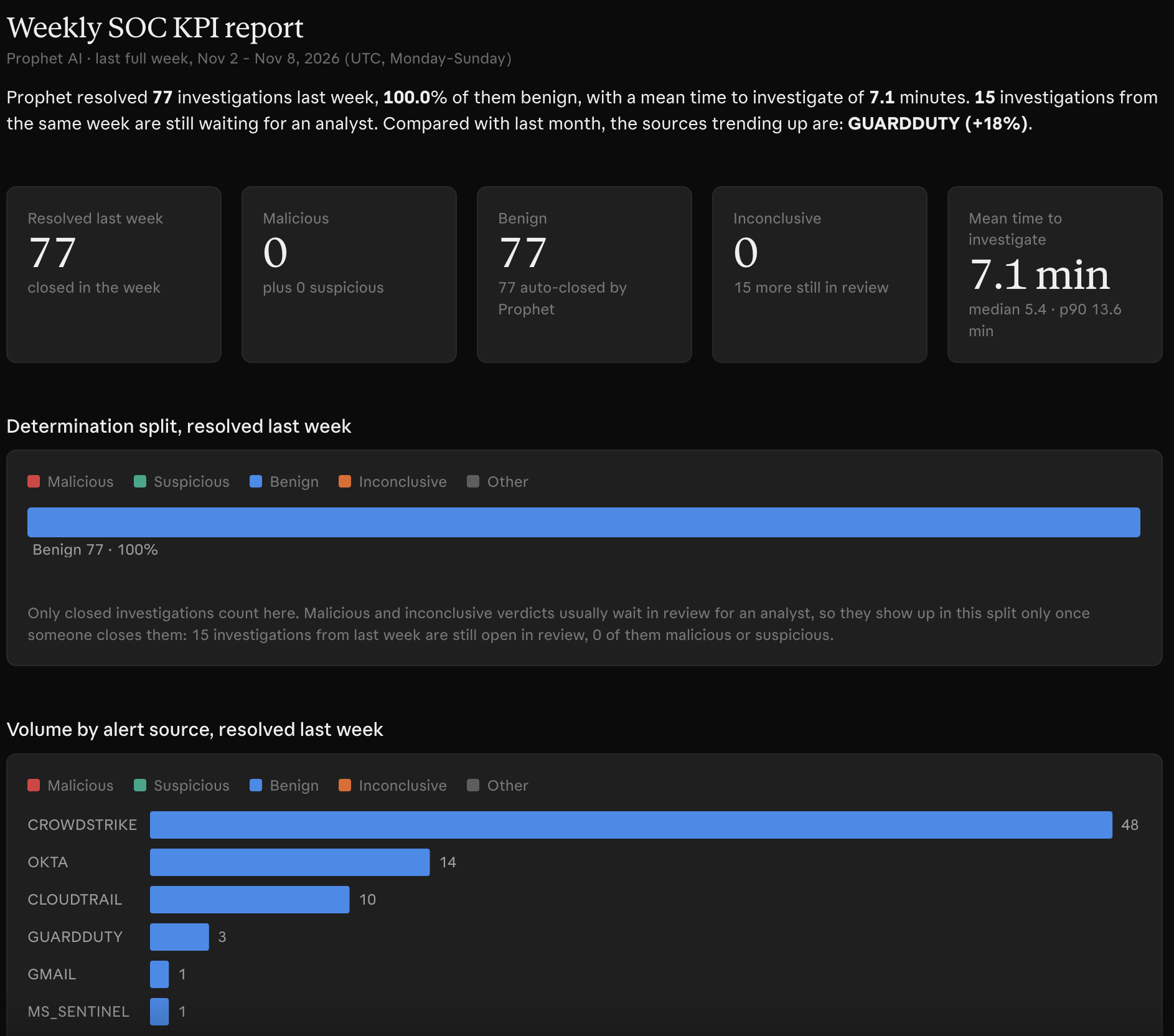
This approach allows users to quickly get reports the Prophet AI console does not include. Instead of filing a feature request, you describe the report in plain language and save the prompt to run again next week.
Agentic Dashboards: standing views built from a plain-language request
Some reports get checked every week by several people, such as the numbers behind a Monday SOC review. Those work better as a dashboard the team opens than as a prompt someone reruns in a chat.
Agentic Dashboards bring the plain-language approach into the Prophet AI console, without a separate AI assistant. You describe the view you need, and the Prophet AI dashboard builder writes the queries, checks them against your data, and lays out the metrics, charts and tables:
"Malicious investigations by source and severity over the last 30 days."
"Weekly mean time to conclusion, split by determination."
"Top alert sources this month, and how many needed review."
The dashboard is generated in seconds, with a note on what the builder checked and anything it could not verify. You change a dashboard the same way you built it, with requests such as "add a donut chart of determinations" or "default to the last 14 days."
Agentic Dashboards sit under Dashboard in the Prophet AI console, next to the Overview, with filters, date ranges and rows that open the underlying investigation. Each dashboard can stay private to its creator (admins still see every dashboard) or be shared with selected roles or the whole organization, so a weekly review built once can be opened by everyone who attends it.
Agentic Dashboards are based on the Prophet AI MCP server and carry its controls. Each query runs with the permissions of the person viewing the dashboard, so two people with different roles can see different numbers on the same dashboard. Dashboards are read-only and cannot change anything in Prophet AI. Each query run appears in Settings > MCP > Executions, and requests to the builder are recorded in the Audit Log.
Because dashboards are read-only and live in the console, anything that needs changes or cross-tool work goes through another route, such as an assistant like Claude or the Prophet AI API.
Use case 2: reviewing determinations and acting on them in bulk
Metrics show what happened. Analysts also want to know why Prophet AI reached a determination, and that evidence is available through the same connection:
"Why did Prophet AI determine the impossible-travel alerts for the finance team were benign this week? Summarize the evidence it used."
Each Prophet AI investigation records the queries it ran and the evidence behind its determination, so Claude can summarize the reasoning and the analyst can open the underlying investigation to check the query directly.
The same kind of question helps with detection quality:
"Which detection rules produced the highest share of benign determinations this month?"
Teams running AI Detection Engineer already receive tuning recommendations built from their investigations. The MCP server adds a way to answer an analyst's specific question on the day it comes up, such as checking one noisy rule before a change review.
With read-and-write access, the analyst can act on the answer in the same conversation:
"Tag every investigation from the 'Suspicious PowerShell - Dev Hosts' rule this month with tuning-review and add a note explaining why."
Each change appears in the Audit Log under the analyst's name, and the Executions view shows the API calls Claude made to apply it.
The same data supports leadership reporting. A CISO preparing for a board meeting can ask Claude to summarize a quarter of investigations: what Prophet AI investigated, which determinations were malicious, and which systems they involved. The figures come from the investigation records in Prophet AI, so each one can be traced to the investigations behind it.
Use case 3: hardening plans drafted from investigated attacks
Malicious and inconclusive determinations record which assets were targeted and which techniques were attempted or suspected. Read across several months, that history shows which systems attackers have been seen trying to compromise, which is useful input when deciding what to harden first.
With Claude Desktop, a security engineer can turn that history into a draft plan:
"Review the investigations Prophet AI determined as malicious or inconclusive in the last 90 days. Group them by targeted asset, application and attack technique, then draft a prioritized hardening plan for the systems that appear most often."
Claude pulls the investigations, groups them and drafts the plan. In an illustrative case, the draft might show credential attacks concentrated on a few internet-facing servers, phishing investigations involving users without phishing-resistant MFA, and one internal application appearing repeatedly in lateral movement attempts. For each pattern, the draft proposes actions, links each one to the investigations that support it, and ranks them by how often the weakness was tested.
The engineer can then go deeper:
"For web application X, list the techniques attempted against it and recommend configuration and code-level controls for each."
"Map these findings to MITRE ATT&CK techniques and show which ones appeared most this quarter."
The plan is a draft for the engineer to review. Remember that Claude's recommendations need the same scrutiny as any other proposal, and some will not fit your environment's constraints.
Hardening priorities often come from benchmarks, vulnerability scans and periodic assessments. Investigation history adds evidence of where attackers tried to get in. Prophet AI runs a full investigation on each alert and documents the evidence for its determination, so each item in the plan can be checked against the investigation behind it. AI Detection Engineer covers the detection side of the same findings: coverage gaps, and new or tuned detections built from your investigations.
Other workflows teams can build
The three uses above are a starting set. Because Claude Desktop can connect to several MCP servers at once, Prophet AI investigation data can be combined with your other tools in one conversation. Some examples:
Hardening plan to tickets: turn each item in the hardening plan into a ticket in your work-tracking tool, with the supporting investigations linked as evidence.
Shift handoff summaries: summarize the last shift's investigations and post the highlights to the team's chat channel.
Detection tuning proposals: combine benign-determination data from Prophet AI with your detection-as-code repository to draft rule changes for review.
Runbook updates: add the attack patterns Prophet AI investigated this month to your internal documentation.
Analyst onboarding: pull examples of one investigation type, with Prophet AI's evidence and reasoning, so a new analyst can study how each was worked.
Each of these works with the current MCP server (the cross-tool examples also need connectors for the other tools). Prompts that prove useful can become scheduled workflows.
Getting started
The Prophet AI MCP server gives the AI tools your team already uses access to Prophet AI's investigation history, under per-user permissions, admin limits and an audit trail. A practical sequence is to start with metrics reports and turn the ones your team checks every week into Agentic Dashboards. From there, move to reviewing determinations and bulk changes, and then use the investigated attacks to draft a hardening plan your engineers review and own.
The MCP server and Agentic Dashboards are available to all Prophet AI customers.
The Prophet AI MCP server connects AI assistants such as Claude Desktop, Claude Code and other MCP clients to a Prophet AI instance. Users ask questions in plain language; the assistant writes a short program, Prophet AI runs it with that user's permissions, and the result returns in one request. Teams use it for reporting, bulk triage, reviewing determinations and combining investigation data with other tools.
The MCP server sits on top of the Prophet AI API. With the API, a developer writes and maintains code against documented endpoints. With the MCP server, an AI assistant writes that code from a plain-language request, and Prophet AI runs it against your instance. What the API supports is reachable through MCP, within the permissions the connecting user grants.
Agentic Dashboards are dashboards in the Prophet AI console that Prophet AI builds from a plain-language request. The dashboard builder writes the queries, checks them against your data and lays out metrics, charts and tables, with a note on anything it could not verify. Dashboards run on the MCP server with each viewer's permissions, are read-only, and can be kept private or shared with selected roles or the whole organization.
Claude Desktop, Claude Code, Codex and other MCP clients that support remote (Streamable HTTP) servers can connect. People sign in with OAuth from the client and choose read-only or read-and-write access. For unattended automation, such as a scheduled report, the server accepts an API or service-account token instead of a personal sign-in. Setup uses one server URL, copied from Settings > MCP > Setup in Prophet AI.
Actions run with the signed-in user's own permissions, or with an API or service-account token's permissions for unattended automation, and users choose read-only or read-and-write when connecting. Prophet AI records each program an agent ran, its API calls and their results for 14 days, and changes appear in the Audit Log under the user who made them. Admins can turn MCP off, set timeouts and per-run limits, and disconnect agents.
Yes. Malicious and inconclusive determinations record the targeted assets, the attempted or suspected techniques and the supporting evidence. Through the MCP server, an assistant such as Claude can group months of those investigations by asset and technique and draft a prioritized hardening plan, with each item linked to the investigations behind it. Additional tools with their own MCP servers, such as asset management systems, can add asset and exposure context to the recommendations. The plan is a draft for a security engineer to review against the environment's constraints.

Product Updates
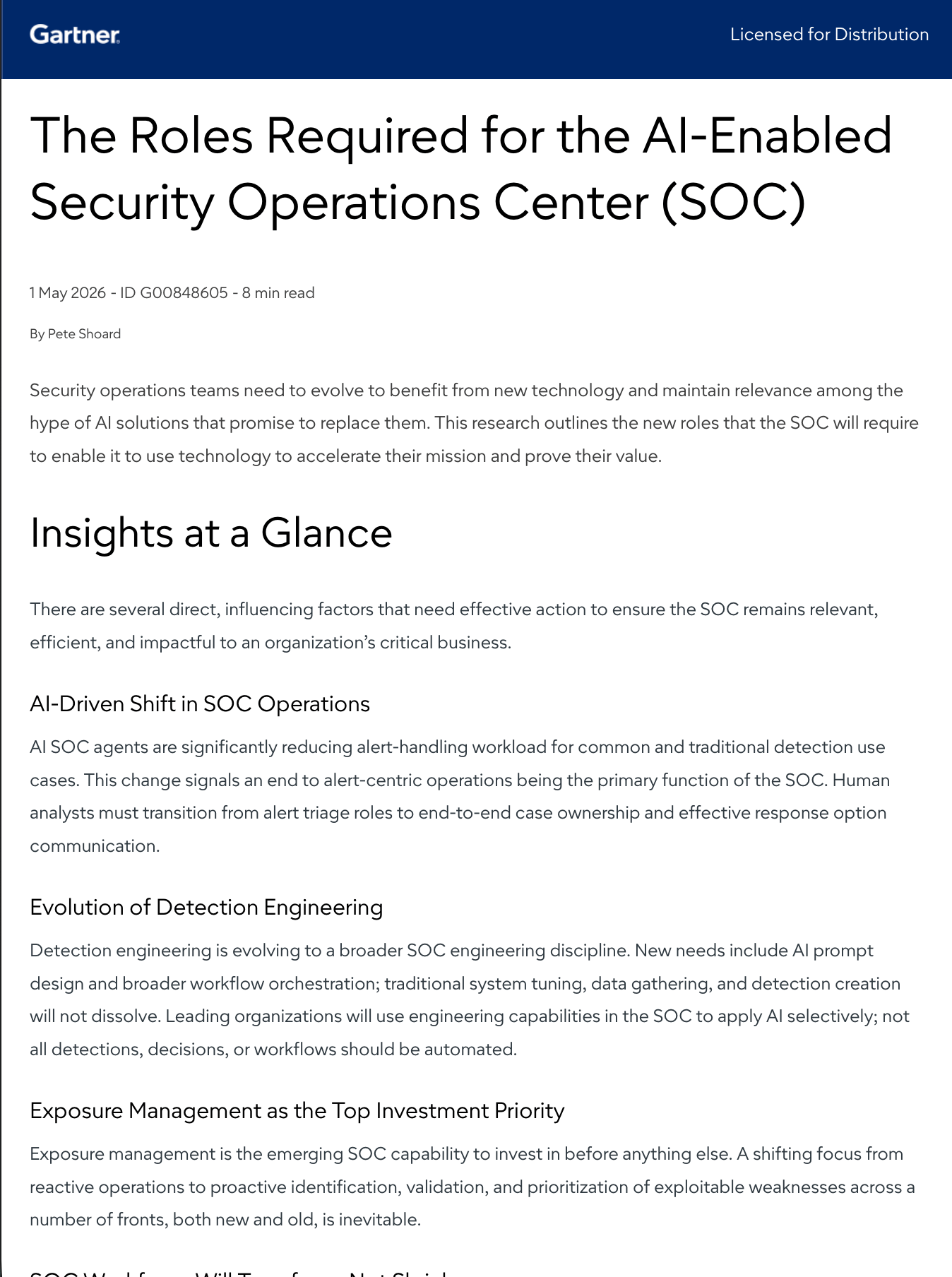
The Roles Your AI-Enabled SOC Will Need
Gartner research on how SOC roles shift as AI SOC agents reduce alert-handling work

As Principal Product Manager at Prophet Security, Augusto applies his hands-on experience and critical thinking to help push forward the new capabilities of Prophet AI SOC platform